SØNDAG
2026-10-04

Too many projects, too many ideas, too few hours — one learning a day anyway

HomeControl

A wall panel for the house, written in C for a screen the size of a coaster.
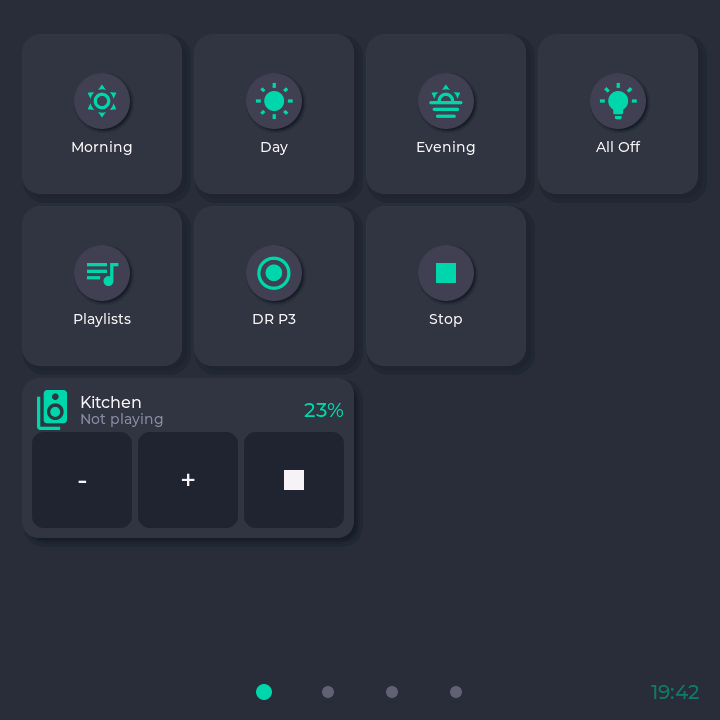
The Home page of one of the two panels, captured from the panel itself: dark grey, square. Two rows of tiles with teal icons — Morning, Day, Evening, All Off, then Playlists, DR P3 and Stop. Below them a double-width music card reading Kitchen, Not playing, 23%, with three large buttons for minus, plus and stop. Four page dots at the bottom centre, the first lit, and the time 19:42 in the bottom right corner.
FIG. 1 Home: scenes, the radio, volume as buttons, dots to the other pages. Empty glass does nothing; a double-tap there used to stop the radio.
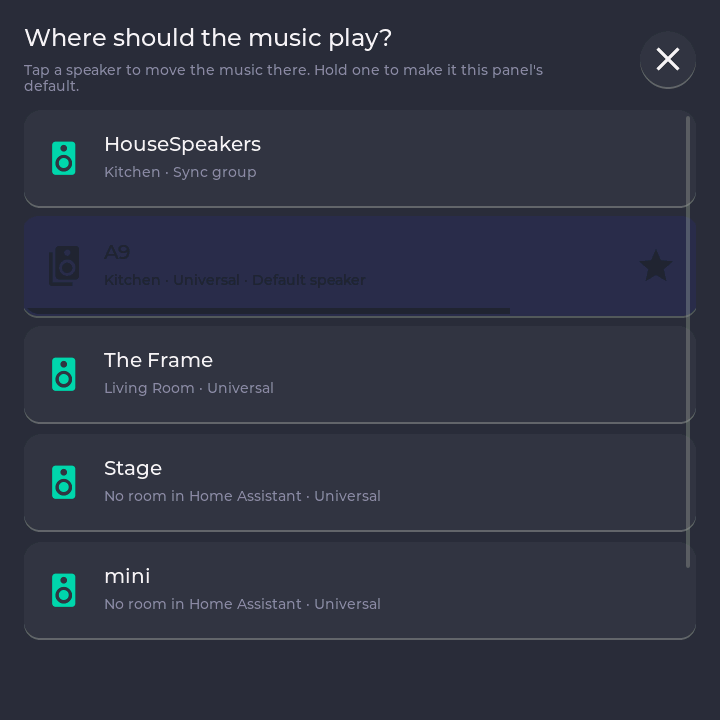
The speaker sheet, titled Where should the music play?, with the line Tap a speaker to move the music there. Hold one to make it this panel's default. Below it full-width rows, one per speaker, each with its room: HouseSpeakers (Kitchen, sync group), A9 (Kitchen, default speaker, marked with a star), The Frame (Living Room), Stage and mini. The A9 row is being held: it has gone dark and a bar along its bottom edge is about two thirds full.
FIG. 2 Speakers are rows, not a dropdown. Tap moves the music; hold fills the bar and sets the default.
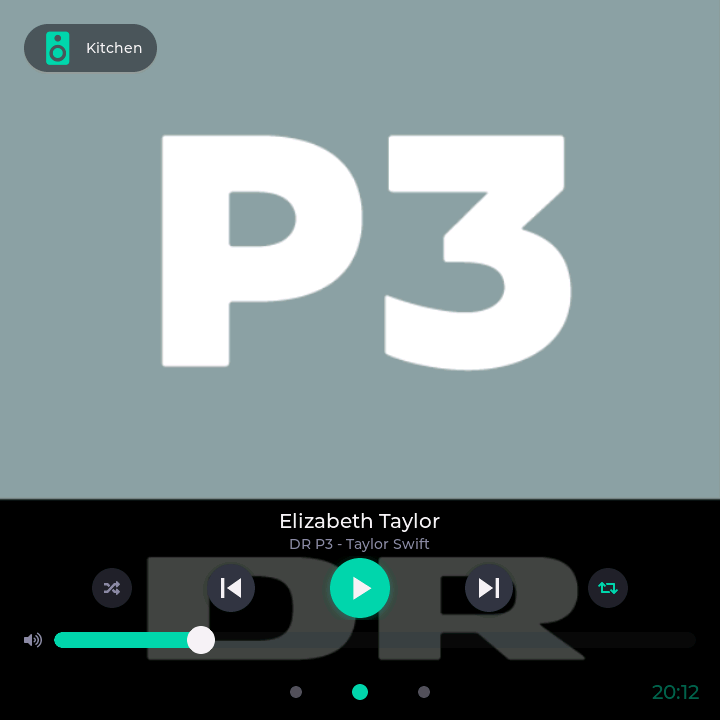
The Player page with its controls showing: the DR P3 station logo fills the screen, a Kitchen pill top left. Across the lower third, the track playing on the radio, then shuffle, previous, a large play button, next and repeat, and a volume slider at about a quarter. Three page dots, the middle one lit, and the time bottom right.
FIG. 3 The Player, woken by a touch. Left alone, the controls fade and the cover stays.
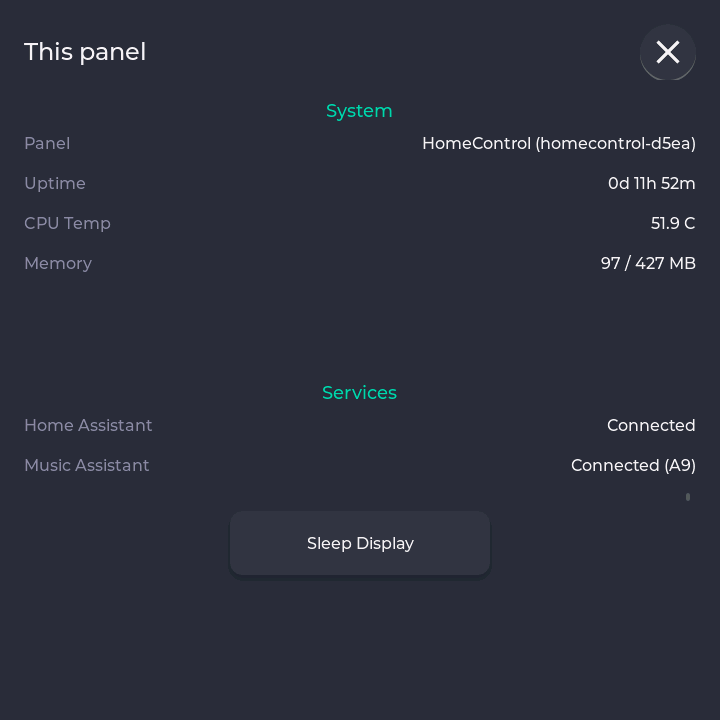
A sheet titled This panel, opened by tapping the clock. Under System: Panel HomeControl (homecontrol-d5ea), uptime 0d 11h 52m, CPU temperature 51.9 C, memory 97 of 427 MB. Under Services: Home Assistant connected, Music Assistant connected (A9). A Sleep Display button below.
FIG. 4 Tap the clock: the panel's name, and an id it derives once and never changes.

Two hang on the wall at home: a Raspberry Pi behind a square HyperPixel touch screen that sets the lights, runs the music and casts films to the TV. C and LVGL, because a browser could not answer a finger fast enough.

It needs a Home Assistant to log in to. Music Assistant and Plex are optional; without them it is a light switch.

The panel owns every value. Home Assistant asks it for a change; the panel pushes its state and a heartbeat, so a quiet panel is a fact, not a timeout.

Home carries the music: the room, what is playing, and thumb-sized minus, plus and stop.

Every screen is tested against fake services first; a trap found on the wall costs a walk across the house.

WHAT IT DOES
  • Lights, scenes and switches from Home Assistant as tiles
  • Volume, stop and the playing room on the home screen
  • Move music between speakers; hold one to make it the default
  • Browse Plex and send a film to the TV
  • Appears in Home Assistant as a device: screen, page, health
  • First setup from a phone, via a QR code on the screen
CODE
  • Redesigned layout without the top bar
  • Panel becomes a Home Assistant device
  • Video plays on the panel itself
  • Plex screen, faster boot and KMS display
  • Big overhaul: web login, reworked music engine
  • Pi 4/5 support and web management page
  • Music Assistant integration and music player
  • Home Assistant touch dashboard for Pi Zero
POSTS

No posts from this project yet — they'll gather here as they publish.